
Scanning a product is easy.
Knowing what to do with the result is harder.
That is why most scanner apps feel exciting at first and forgettable after a week.
You point the camera at a bottle. You get a score. Maybe a few warnings. Maybe a green badge. Then you are still left asking the real question:
_Should this product actually go into my routine, or am I about to create a bigger mess for myself?_
That is the standard I used here.
If you are looking for an app to scan skin care products, the best option is not the one with the flashiest barcode flow. It is the one that helps you buy less impulsively, understand what you are adding, and keep the rest of your routine readable afterward.
Quick answer
If you want the short version first:
- Glass is the best overall pick if you want scanned products tied back to your skin, your routine, and your progress over time.
- OnSkin is the best pure shopping companion if you want fast product scanning and immediate ingredient or suitability checks.
- SkinSort is the strongest pick for compare-heavy shoppers who want filters, ingredients, dupes, and routine logic together.
- Lume Skin is the broadest all-in-one option if you want scanning plus skin analysis and routines in one app.
- OneLabel is a good fit if you want a wider consumer-product scanner that covers beauty alongside other categories.
If your biggest problem is not reading the label but managing your choices after the scan, Glass is the best fit.
The apps I kept checking before I bought anything in April 2026
| Image | App | Best for | What stands out | Good to know |
|---|---|---|---|---|
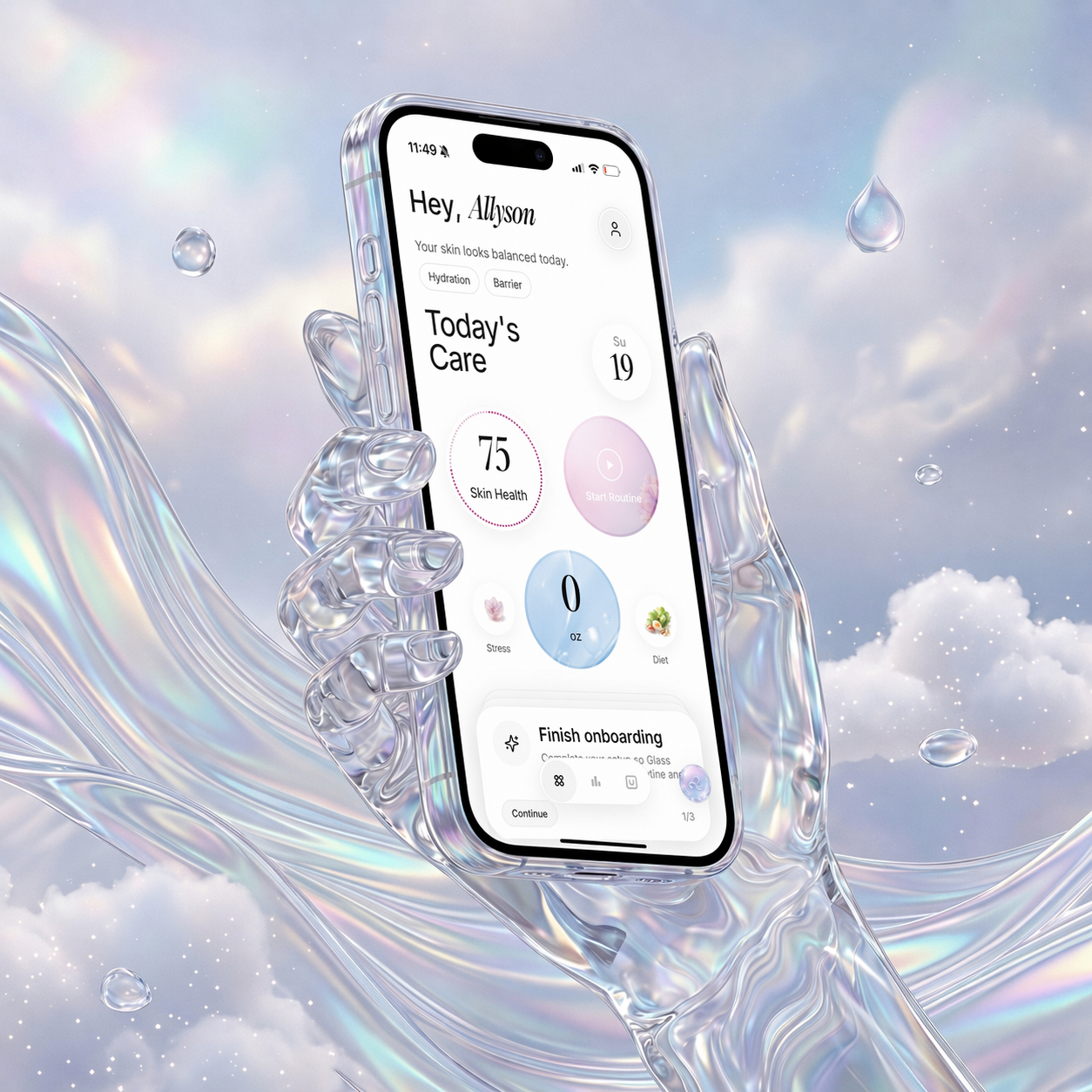 | Glass | People who want product scans tied to routine and skin context | Skin analysis, product context, routine tracking, reminders, reports | Strongest when you want the scan to stay useful after the moment itself |
 | OnSkin | Fast in-store or online product checks | Barcode/photo scanner, ingredient checks, product suitability, routine layer | Better for quick answers than long-term routine discipline |
 | SkinSort | People who compare multiple formulas before buying | Scan flow, compare tools, ingredient filters, dupes, routine support | More powerful than simple, which can be good or tiring |
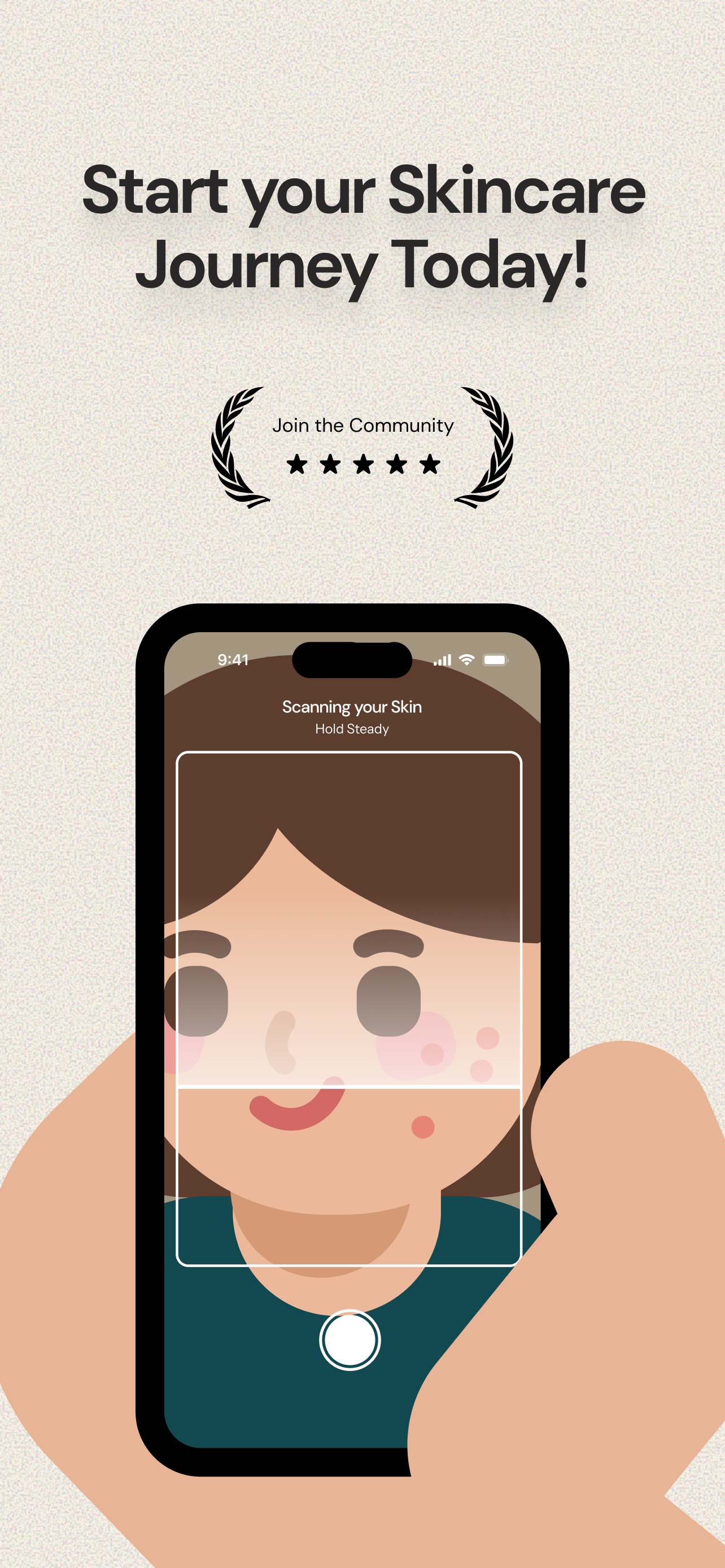 | Lume Skin | Readers who want scanning plus broader skincare features | Product scanner, skin analysis, AI chat, routines, reminders | Wide feature set can feel busy if you want only a scan tool |
 | OneLabel | People who want one scanner for beauty and other products | Barcode and photo scanning, product analysis, large multi-category database | Less skincare-specific than the top picks above |
What I want from a product-scanning app
I do not just want it to tell me what is inside the bottle.
I want it to help me answer four better questions:
- Does this product solve a real gap in my routine?
- Does it overlap with something I already use?
- Does it look sensible for my skin concerns?
- Will I be able to tell later whether adding it helped or hurt?
That is where weak scanner apps fall apart.
They are built for curiosity, not decision quality. They help you scan more products, but not necessarily choose better ones.
The best scanner apps slow you down in the right way. They help you avoid buying a second exfoliant, a third niacinamide serum, or a random "clean" moisturizer that does not solve anything you actually need solved.
1. Glass is the best app to scan skin care products for most people
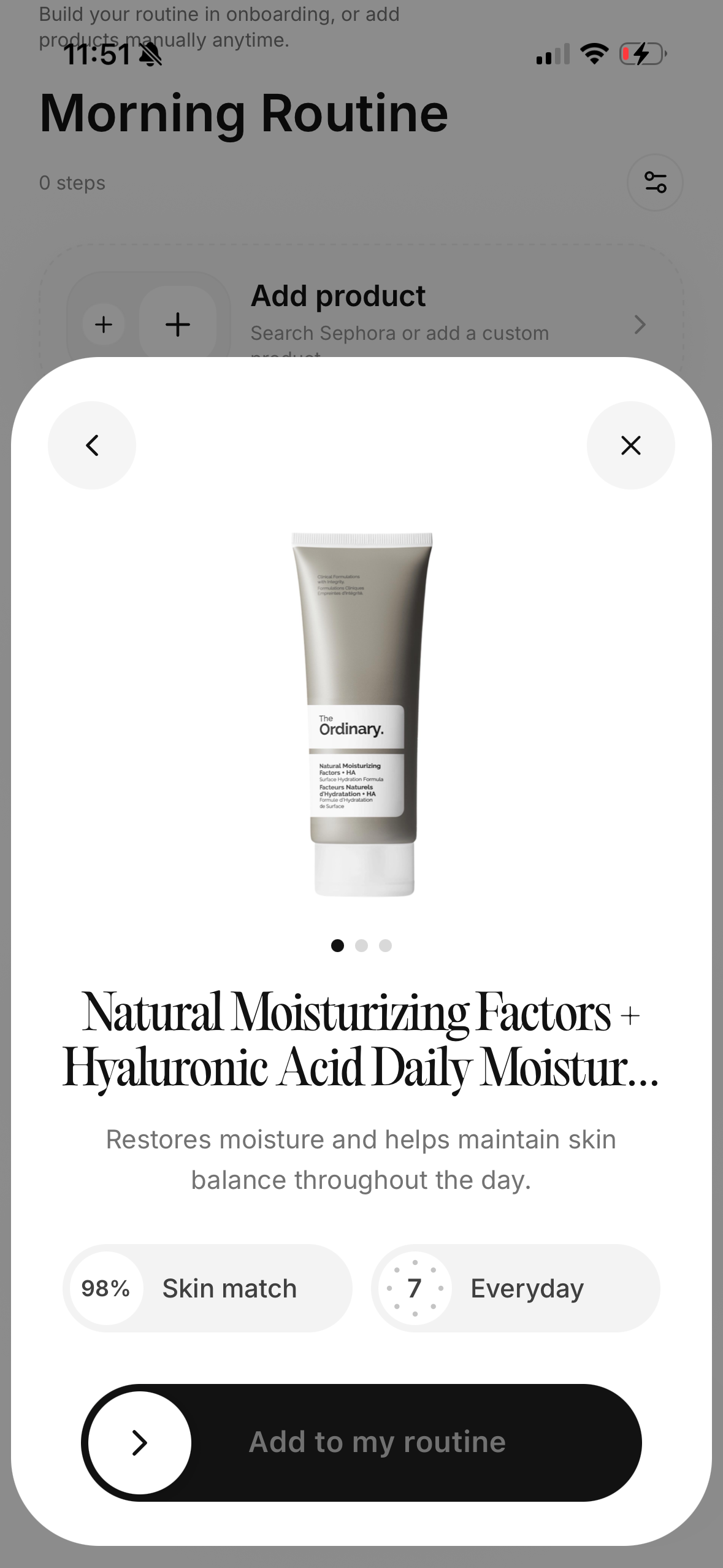
The reason Glass wins is simple:
it makes more sense after the scan.
That is the whole game.
The scan itself matters, but it is not the hard part. The hard part is keeping product decisions connected to:
- the routine you already follow
- the skin changes you are tracking
- the products you already have in rotation
- the reasons you were shopping in the first place
Glass is built closer to that full loop than the average product scanner.
If you add a product, the natural next question is whether it made the routine better, more irritating, more crowded, or easier to stick to. That is where Glass feels stronger than apps that stop at ingredient explanation.
If you want the tighter scanner-only comparison after this, best skincare scanner app (April 2026) is the best companion piece. If your real issue is that the routine keeps drifting every time you buy something new, best skincare routine app (April 2026) is the better next read.
2. OnSkin is the fastest choice for shopping moments
If your main use case is standing in Sephora, Target, Ulta, or on a product page and wanting a faster answer, OnSkin is excellent.
It is built for speed.
That matters more than people admit. A lot of scanner apps lose their usefulness because they make the shopping moment feel slower instead of clearer. OnSkin is better than most at keeping the workflow tight:
- scan the product
- decode the ingredients
- get a quick read
- move on
That is good product design for a certain type of user.
I still rank it below Glass because the answer tends to stay closer to the product than to the routine. If you mostly need shopping support, that is fine. If you want the scan connected to your longer-term skin behavior, the broader system is more useful.
3. SkinSort is best if you like comparing before buying
SkinSort is what I would pick if I knew I was going to compare multiple products, not just scan one.
It makes sense for shoppers who ask questions like:
- "Which of these two moisturizers is less likely to clog me up?"
- "Is this toner actually different from the one I already have?"
- "Can I filter for the texture or ingredients I want without doing manual research all night?"
SkinSort is very strong when the shopping process is part scanning, part comparison, part ingredient research.
The tradeoff is that it can feel bigger than necessary if all you want is a quick yes-or-no check. For power users, that depth is the appeal. For everyone else, it can become another project.
4. Lume Skin is the broadest all-in-one option
Lume Skin is the best fit if you want product scanning as one feature inside a wider skincare app.
That is an important distinction.
Some people do not want a pure scanner. They want one app that can:
- scan products
- analyze skin
- suggest routines
- send reminders
- keep everything together
Lume is appealing because it tries to cover all of that in one place.
That breadth is useful, but it is also the risk. Feature-rich apps are easier to market than to live with. If you want the biggest toolbox, Lume is a good option. If you want the cleanest product-decision loop, Glass and OnSkin stay easier to recommend.
5. OneLabel makes the most sense if you scan across categories
OneLabel is different from the rest of this list because it is not only about skincare.
That can be either exactly what you want or too broad to be satisfying.
If you like the idea of one scanner that can help with:
- beauty products
- food
- household items
- general consumer products
then OneLabel is interesting.
If you want something deeply skincare-native, it loses ground to Glass, OnSkin, and SkinSort pretty quickly.
That is the core tradeoff: breadth versus specificity.
What most product scanner apps still miss
They assume the product is the whole decision.
It is not.
The real decision is usually about routine fit.
That means the most useful scanner app is often not the one with the most database bragging rights. It is the one that helps you avoid:
- buying products that solve the same job
- reacting to one ingredient without reading the full formula
- overcrowding the routine
- changing too many things at once
- forgetting why you bought the product in the first place
That is why I keep coming back to Glass for the top spot.
It treats scanned products like part of a repeatable skincare system, not just isolated shopping events.
Which app should you choose?
Choose Glass if you want scans tied to routine, progress, and the bigger picture of your skin.
Choose OnSkin if speed is the priority and you want the quickest product check while shopping.
Choose SkinSort if comparison depth matters more than simplicity.
Choose Lume Skin if you want scanning inside a broader AI skincare app.
Choose OneLabel if you like a wider scanner that also works beyond skincare.
13 things I learned after scanning skin care products before buying them
- A fast scan matters a lot more when I am standing in a store than when I am already home reading reviews.
- The best product scanner is the one that keeps me from impulse buying, not the one that just gives me a cleaner badge.
- I got more value from scanning products I already owned than I expected.
- Photo scan support matters the second a barcode is hidden, damaged, or not recognized.
- Big databases help, but they do not automatically make the decision smarter.
- Alternatives are only useful if they solve the exact same job in the routine.
- I cared more about duplicate actives than dramatic ingredient warnings.
- Sensitive-skin and trigger filters matter most when my barrier is already irritated.
- Shopping tools that feel fun can still make me buy things I do not need.
- The scan is only helpful if I can still explain why I wanted the product in the first place.
- Some apps are built for curiosity. The better ones are built for restraint.
- I trust a scanner more when it helps me think about my routine, not just the bottle in my hand.
- The best product scans still leave room for me to decide to buy nothing at all.
FAQ
What is the best app to scan skin care products in April 2026?
For most people, Glass is the best app to scan skin care products in April 2026 because it keeps product scans connected to routine tracking, skin context, and longer-term progress.
Which app is best for scanning products while shopping?
OnSkin is the strongest quick-shopping option in this group because the flow is built around fast scans and fast answers.
Is SkinSort better than a simple product scanner?
Yes, if you want more depth. SkinSort is better when you want to compare formulas, filter ingredients, and make more deliberate buying decisions.
Can a scanner app tell me if a product is right for me?
It can help, but not perfectly. A scanner can flag ingredients, explain formulas, and highlight possible conflicts, but your skin still depends on the full routine, frequency, and your own sensitivities.
Should I use a product scanner app or a skincare routine app?
If your issue is shopping, use a scanner app. If your issue is inconsistency, use a routine app. If you want both in one place, Glass is the strongest overlap.
Final take
If you need an app to scan skin care products, start with Glass.
It gives you the best shot at turning a scan into a better decision instead of just another little burst of product anxiety.
If you want the fastest shopping check, go with OnSkin. If you want deeper compare logic, pick SkinSort. If you want the widest feature set, look at Lume Skin. If you want a broader scanner beyond skincare, try OneLabel.
That is the cleanest way to sort the category right now.