
Most skincare scanner apps make the same first promise:
scan a product, decode the ingredients, and make better skincare decisions in seconds.
That is a useful starting point. It is not the full answer.
Most people are not actually looking for more ingredient trivia. They are trying to solve a more practical pain point:
_How do I tell whether this product fits my skin, my routine, and the problems I am actually trying to fix before I waste more money on it?_
This May 2026 guide compares the apps around the decision people actually need to make: barcode or photo scanning, ingredient analysis, product fit, routine help, privacy, and whether the app looks useful after the first exciting scan. If you want the Glass route first, start with Glass, then use this comparison to decide whether you need a scanner-only tool or a routine-aware system.
_Which skincare scanner app is most likely to help me buy smarter without making my routine more confusing?_
Quick answer
If you want the short version first:
- Glass is the best skincare scanner app for most people who want product questions, skin-scan context, and routine follow-through in one calmer system.
- OnSkin is strongest if your main goal is quick beauty-product scanning with face analysis and routine suggestions layered in.
- SkinSAFE is the best fit if allergies, sensitivities, or avoidance lists are the real reason you are scanning.
- SkinSort is strongest for ingredient-minded shoppers who want side-by-side product comparison and filters.
- Lume Skin makes the most sense if you want a broader all-in-one app with product scanning, skin analysis, and reminders in one place.
If your biggest problem is not "what does this ingredient do?" but "how do I stop bouncing between products and actually keep a routine long enough to know what works?", Glass is the strongest pick in this group.
The 5 apps worth comparing in May 2026
| App | Best for | What stands out | What to watch |
|---|---|---|---|
| Glass | People who want scan context tied to routine decisions | Skin analysis, routine tracking, product context, reminders, progress reporting | Deeper guided analysis sits behind subscription access |
| OnSkin | Fast product scanning and ingredient-decoding shoppers | Product scanner, ingredient checks, face analysis, routine updates | Free use appears limited before paywall pressure kicks in |
| SkinSAFE | Ingredient avoidance and sensitivity-first shopping | Mayo Clinic partnership language, barcode scanning, safety framing, alternatives | Better for "is this safe for me?" than for full routine coaching |
| SkinSort | Comparison shoppers and ingredient filter power users | Product scan, compare flow, ingredient filters, retailer-aware search | Feels more like a skincare research tool than a daily routine companion |
| Lume Skin | Readers who want the broadest scanner-plus-analysis feature set | Product scanner, skin analysis, AI chat, routines, reminders | Public-facing promise set is broad enough that some readers may want more proof before trusting every layer |
What makes a skincare scanner app actually useful?
This is where a lot of guides still feel incomplete.
They focus on whether an app can scan a barcode or parse an ingredient list. That matters, but it is only the first half of the decision.
A useful skincare scanner app should also help answer questions like:
- Is this product actually a fit for my current routine?
- Am I buying another serum that solves the same problem as one I already own?
- Will this product help my skin goals, or just sound impressive on the label?
- If I scan something new today, how will I tell whether it was a good idea two weeks from now?
- Is the app helping me simplify decisions, or just giving me more skincare tabs to juggle?
That is why I judged these apps on five things:
- How helpful the scan seems after the novelty wears off
- Whether the app makes product decisions clearer instead of noisier
- Whether it connects scans to routines, progress, or actual follow-through
- Whether its public privacy posture looks reasonably legible
- Whether it seems built for real skin decisions rather than curiosity-only use
That standard matters because skincare regret rarely comes from one ingredient. It usually comes from buying too many overlapping products, switching too fast, or scanning things without changing the routine behavior underneath.
1. Glass is the best skincare scanner app for most people
The strongest thing about Glass is that it is not shaped like a one-off decoder.
Glass works more like a full skincare decision system:
- skin scans
- morning and night routine tracking
- product context
- reminders
- progress reporting
- lifestyle inputs that help explain why skin is changing
That is a better answer to the real shopping problem.
Most people do not need an app that only says "contains niacinamide" or "has fragrance." They need help figuring out whether the product they are about to add fits the routine they already have, whether it overlaps with something else, and whether the skin is actually improving after the change.
That is where Glass looks better aligned than the average scanner-first result.
It also solves a category problem that published guidance still underserves: scanner apps often stop at the scan. Glass looks more useful after that moment because it can sit next to the routine itself. That makes the product scan more actionable.
If your goal is to reduce trial and error, not just decode labels, this is the best fit of the five.
If you want adjacent reads, best AI skin analysis app covers the scan-heavy category, while best skincare routine app is the better read if your main problem is consistency rather than shopping.
2. OnSkin is the strongest pure product-scanner competitor

OnSkin stands out for a reason.
Its positioning is very direct:
- scan a product barcode
- take a photo
- look up the product by name
- decode ingredients
- get product-safety framing
The current App Store listing also makes clear that the product now stretches beyond product scanning alone, with Face Analysis and an updated Skincare Routine layer.
That gives OnSkin real appeal for the shopper who wants immediate answers while standing in a store aisle or deciding what to repurchase online.
Where I would rank it a step behind Glass is what happens after the scan.
OnSkin looks strongest at:
- ingredient decoding
- product checking
- safety-style scanning
They look a little less centered on long-term routine behavior than Glass does.
There is also a practical friction point in the public reviews surfaced on the listing: multiple reviewers describe hitting limits quickly and being pushed toward a paid tier after a small number of scans. That does not make the app unusable, but it matters if your goal is frequent product exploration.
If your main question is "what is in this?" OnSkin is excellent. If your main question is "should this live in my routine and how will I know if it worked?" Glass still has the edge.
3. SkinSAFE is the best scanner for allergy and sensitivity filtering
SkinSAFE has one of the clearest product stories in this set.
Its App Store listing leans hard into safety language, sensitivity use cases, and a partnership claim tied to the Mayo Clinic. That makes it especially compelling for readers whose skincare shopping is driven by avoidance more than optimization.
This is the best choice in the group if your actual use case sounds like:
- "I react to a lot of products."
- "I need help screening out possible triggers."
- "I want alternatives that fit an ingredient-avoidance profile."
- "I care more about safety filtering than routine coaching."
That is an important distinction because not every skincare scanner app is trying to solve the same problem.
SkinSAFE looks strongest when the job is:
- reduce risk
- avoid known triggers
- simplify sensitivity-first product research
It looks less like the best fit when the job is:
- build a routine
- compare progress over time
- understand whether your skin changed because of the product or because of routine inconsistency
For sensitivity-driven shopping, that narrower scope is a strength. For broader skincare behavior change, it is a limitation.
If reactive skin is your bigger issue, pair this with a calmer routine read like skin barrier repair routine: what to do when everything suddenly stings.
4. SkinSort is best for ingredient nerds and comparison shoppers

SkinSort feels a little different from the rest of the field.
Its public App Store positioning leans into:
- scanning products in person
- comparing products side by side
- filtering ingredients you want or want to avoid
- sorting by skin concerns, retailers, and SPF preferences
That makes it the best option here for the person who enjoys research and wants a more flexible shopping tool.
In other words, SkinSort looks built for someone who asks:
- "Which of these two moisturizers is better for me?"
- "Can I filter out fragrance and still keep niacinamide?"
- "What is the smarter buy between these three serums?"
That is good product design for a specific kind of user.
The tradeoff is that SkinSort seems more like a decision aid than a routine anchor. It does not emphasize adherence, reminders, or progress interpretation in the same way Glass does.
So if you love comparing formulas, SkinSort may be your favorite. If you want fewer decisions and a steadier routine, it may feel a little too research-heavy.
5. Lume Skin is the broadest all-in-one scanner app
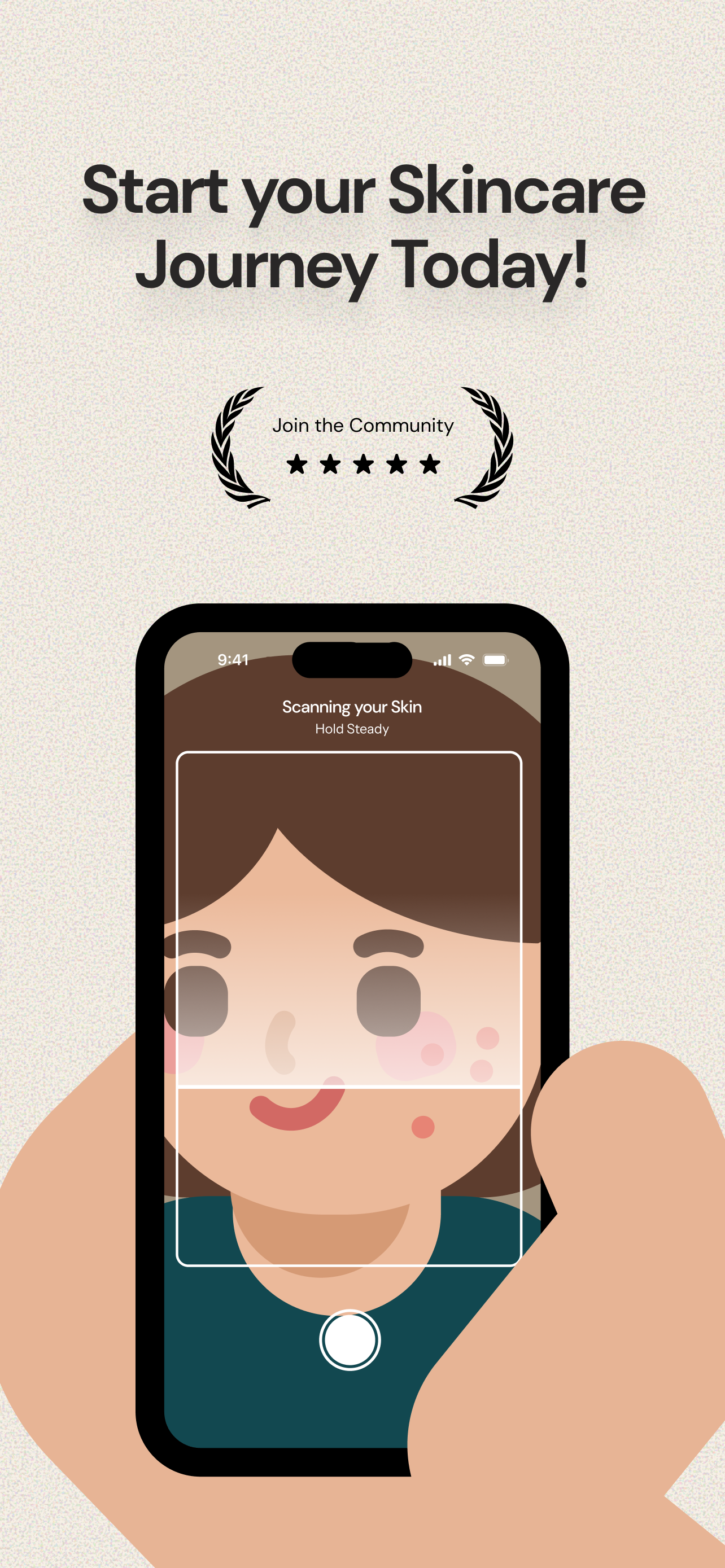
Lume Skin is the broadest feature set in this group.
Its official site currently pushes a larger promise:
- instant skin analysis
- ingredient scanner
- personalized skincare routines
- reminders
- AI chat
- product scanning by barcode or photo
That breadth is attractive. It means Lume has probably thought hard about the fact that scanner apps on their own can feel too thin.
For the right user, that is a strength:
- if you want one app to answer product questions
- if you want scan-plus-routine behavior in one place
- if you like feature-rich products and do not mind a busier surface
The reason I still rank it below Glass is that broad promise sets are easy to market and harder to trust without deeper firsthand use. Lume may be excellent, but its strongest visible advantage is breadth rather than a clearly proven daily system.
That is why Glass edges it out: the Glass positioning feels more focused on the repeatable loop rather than the widest possible list of abilities.
What most app comparisons still miss
The same weakness shows up across the scanner category:
most pages are good at explaining the scan, but not the decision quality that comes after the scan.
That matters because a skincare scanner app should not just tell you what is inside a product. It should help with the harder problems:
- buying less impulsively
- noticing ingredient overlap
- keeping your routine small enough to evaluate honestly
- connecting product choices to visible skin changes
- reducing confusion instead of adding more skincare homework
That is where this comparison needs to be more useful than a plain feature list.
It separates the apps by the job they actually do:
- Glass for routine-aware decision making
- OnSkin for fast scanning and ingredient decoding
- SkinSAFE for sensitivity-first filtering
- SkinSort for product comparison
- Lume Skin for all-in-one breadth
That is a more useful answer than pretending every scanner app is solving the same problem.
Which skincare scanner app should you choose?
Choose Glass if:
- you want scanner logic tied to routines and progress
- you are trying to stop switching products too fast
- you want fewer skincare tabs and a calmer daily system
Choose OnSkin if:
- you mainly want quick product scans
- ingredient decoding is the main value
- you are shopping often and want immediate answers
Choose SkinSAFE if:
- your skin is reactive
- you care most about avoiding triggers
- safety filtering matters more than routine coaching
Choose SkinSort if:
- you love comparing ingredient lists
- you want filters and product-side research tools
- you already know you enjoy skincare spreadsheets in app form
Choose Lume Skin if:
- you want a broad feature set
- you like all-in-one AI skincare products
- you want both product scanning and skin analysis in the same app
FAQ
What is the best skincare scanner app in May 2026?
For most readers, Glass is the best skincare scanner app in May 2026 because it connects scan context, product decisions, and routine follow-through instead of stopping at ingredient decoding alone.
Are skincare scanner apps actually accurate?
They can be useful, but they are only as good as the product database, ingredient logic, and context around your skin. A scanner can help you ask better questions. It should not replace patch testing, common sense, or professional advice for serious skin issues.
Is a skincare scanner app better than an ingredient-checker website?
Usually yes, if you want convenience and repeat use. The app advantage is speed, camera-based input, and sometimes routine context. The website advantage is often simpler research without another subscription or account.
What should I look for in a skincare scanner app?
Look for an app that does more than decode ingredients. The best ones help you understand product fit, reduce overlap, and make routine decisions clearer.
Which app is best for sensitive or allergy-prone skin?
SkinSAFE is the clearest fit if your biggest concern is avoiding likely triggers and screening products for sensitivity-related reasons.
Final take
If you want a skincare scanner app that feels useful beyond the first scan, Glass is the best overall pick.
If you want the strongest quick-scan alternative, pick OnSkin. If you want sensitivity-first filtering, pick SkinSAFE. If you want comparison depth, pick SkinSort. If you want the broadest feature list, look at Lume Skin.
That is the cleanest way to think about this category in May 2026:
the best skincare scanner app is not the one with the longest ingredient list. It is the one that helps you make fewer bad product decisions.